
Read the two panels
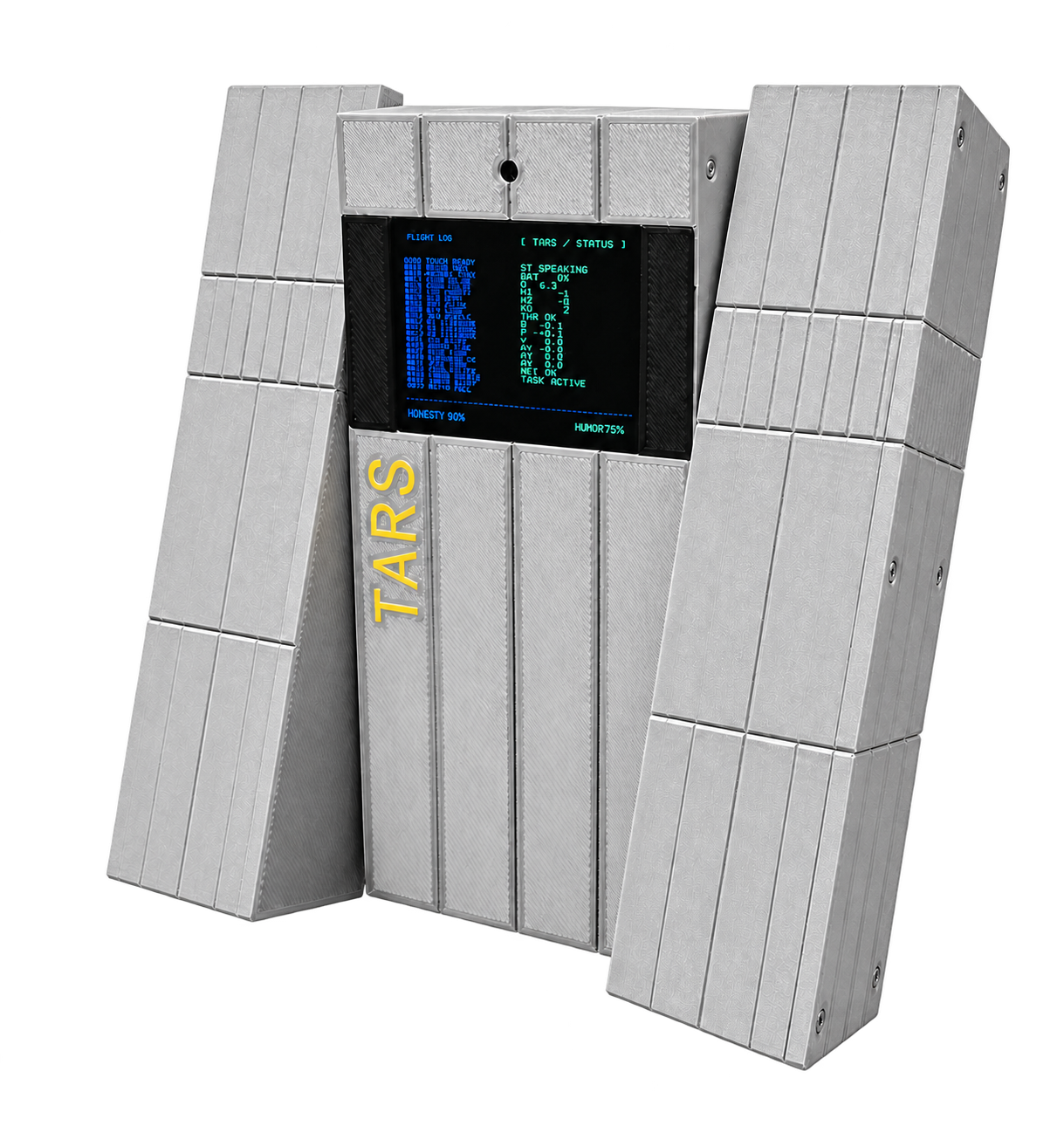
The 320 × 240 landscape display uses a terminal-style layout. FLIGHT LOG is a looping, numbered display animation. It does not record real events or faults; use serial output for diagnostics. The status panel summarizes the robot's current state and telemetry. The bottom line shows HONESTY and HUMOR. These are configuration values, not sensor measurements.
What to do next
| Display state | Meaning | Your next step |
|---|---|---|
| Boot sequence | Hardware and services are starting | Wait for initialization |
| CALIB / motion calibration | Zero positions need confirmation | Follow the assembly alignment procedure, then briefly touch to confirm |
| CALIBRATION FAILED | Saving calibration did not succeed | Read the error, correct the cause and retry |
| NETWORK / network configuration | Provisioning is required | Follow the displayed QR code for the installed region |
| Listening or speaking state | Voice interaction is active | Speak after listening begins; allow the response to finish |
| Screen off after a touch hold | The robot may be in deep sleep | Briefly touch the external sensor to wake |
Personality values
Ask to set honesty or humor to a number between 0 and 100. The firmware displays and saves the new values. They are also reported to connected software. Actual conversational behavior depends on how that software uses them.
Touch, sleep and reset controls · Developer parameters
Read live telemetry correctly
| Label | Meaning in the reviewed firmware |
|---|---|
| ST | Application state |
| BAT | Battery percentage |
| V | Servo-bus voltage |
| M1–M3 | Servo feedback angles relative to saved zero positions |
| IMU | IMU state: OFF, CAL or OK |
| R / P / Y | Roll, pitch and yaw |
| AX / AY / AZ | Acceleration readings |
| NET | A legacy label showing the power state: CHG, ON or WAIT; it is not a network connection indicator |
During provisioning, the terminal gives way to the QR-code screen for the selected firmware region. HONESTY and HUMOR default to 90 and 75 respectively and are saved in NVS when changed. Their effect on a conversation depends on the connected agent.
Explore the public display code
The renderer is tars_display.cc. To set only humor, call self.tars.set_personality with {"honesty":-1,"humor":80} through the connected client. The footer should update and persist after restart. Follow the TARS tool exercise for exact parameters and the calibration error table if the display stays in CALIB.