Before flashing
Confirm the robot model, hardware revision and target region. Use a data-capable USB cable and the board's prescribed power arrangement. The Chinese assembly guides call for a connected battery and switched-on board during flashing; follow the instructions supplied with your actual board.
Install a released build
- Open Luwu Tools.
- Select English: the English page flashes international firmware, while the Chinese page flashes domestic (China) firmware.
- Select your exact RIG model and the desired released version.
- Connect the robot, choose its serial port and follow the tool's prompts.
- Keep power and USB stable until completion.
- Restart, complete any required calibration and provision the matching service.
If no serial port appears, try a known data cable, close other serial applications and follow the flashing website's prompt to try installing the CH340/CP210x USB-serial drivers. After installation, reconnect the USB cable and try selecting the port again. Do not flash another model simply because its port is detected.
Recovery and developer builds
Record error messages before changing settings. A full settings reset and a firmware update are different operations. A reset can remove saved network and personalization data. Use model-specific reset instructions.
Developers can build from source using the development guide. Source board versions are not a guarantee that matching packages have been published.
Illustrated instructions
Open the published web flashing tutorial · Flashing troubleshooting
RIG-Arm: calibrate, then configure
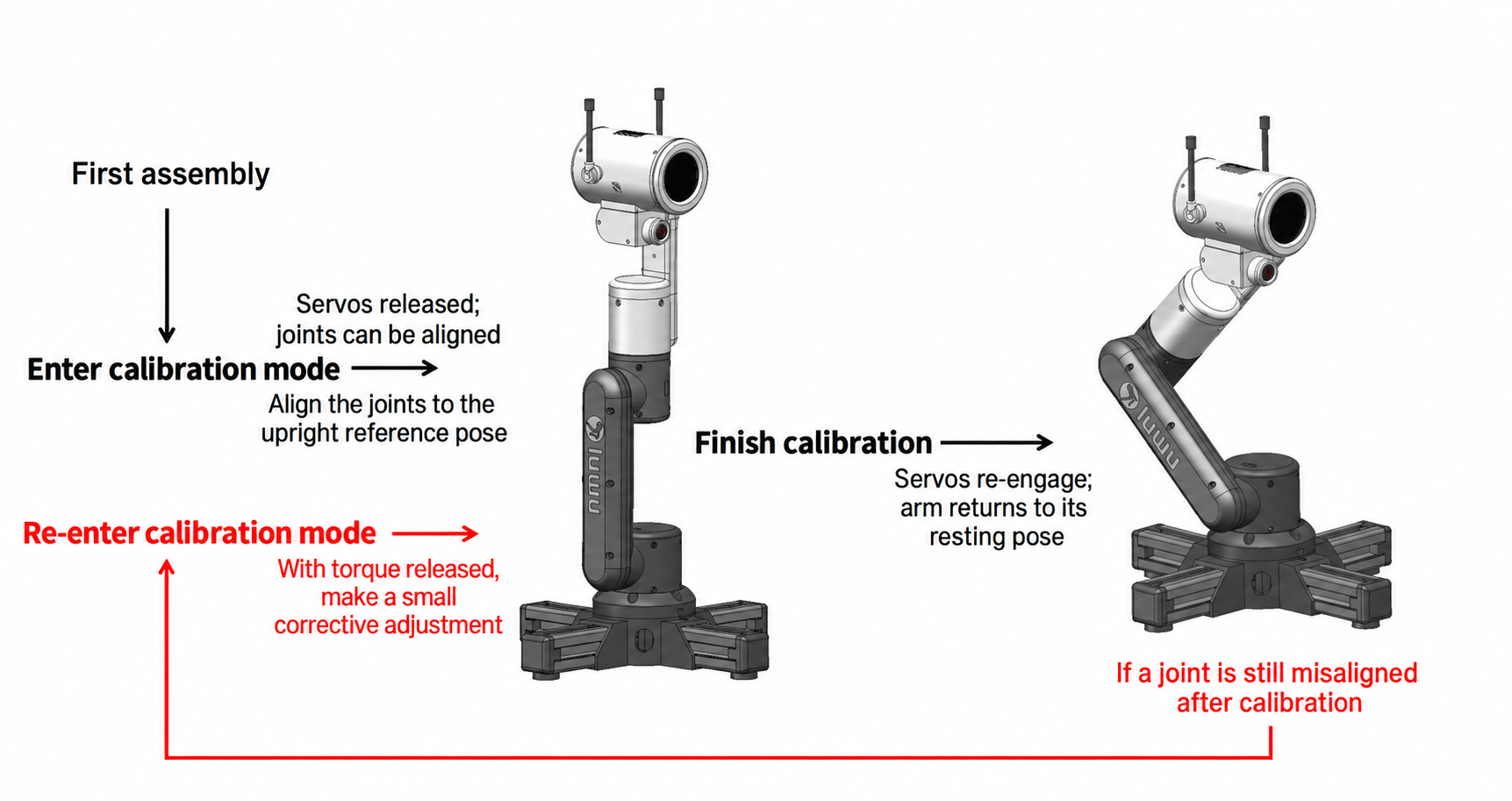
After flashing the firmware, RIG-Arm enters calibration mode. For an electronics kit, first finish the electronics test, power off, disconnect the components and install them following the assembly video. Perform the steps below only with the arm structurally assembled, before configuring the connection:
- Following the calibration diagram, position the arm vertically upright in the illustrated alignment.
- Briefly touch the touch button on the arm's head to complete calibration.
- The arm's display then shows a QR code.
- Scan the QR code to download the RIG app and configure the arm, or configure it through the international RIG dashboard.
Use a brief touch to confirm calibration; do not hold the touch button.